Cats and Trails and Garden Tales
Musings on cats, travel, gardens and life
Fun with Photo Edits and Apps
I don’t usually do a lot of editing on my photos, save for resizing and watermarking them in Lightroom.
But for this week’s Sunday Stills Challenge #Photo-Edits I thought I’d use the simple (and free) tool that came with my Samsung Galaxy phone, Gallery.
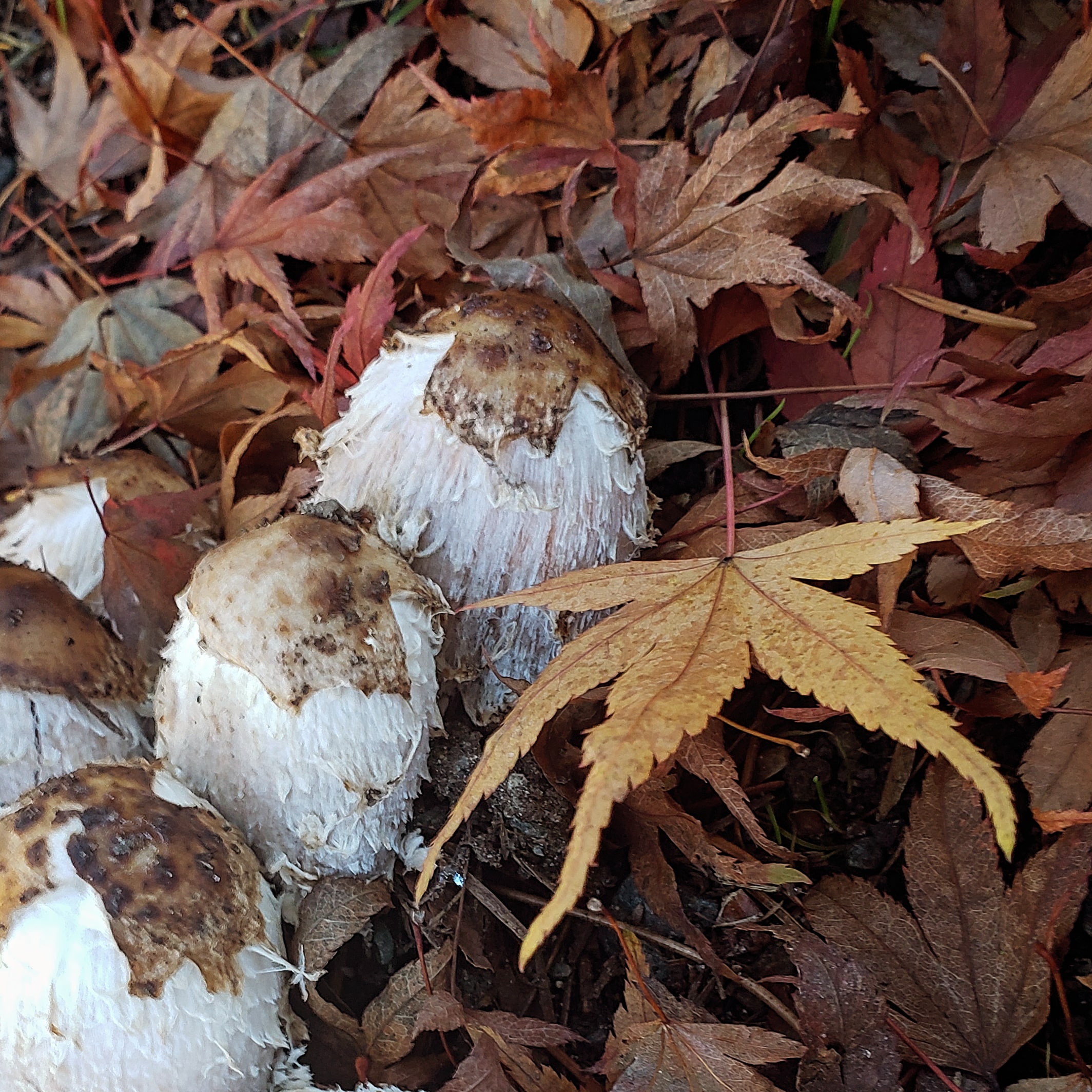
I’ll start with a picture I took in early December, of fall leaves and mushrooms. I edited the first photo in Gallery using the ‘Cozy’ filter, the second using the ‘Nostalgia’ filter, and the third is the original.
(Click the arrow to advance through the photos.)
I prefer cozy, how about you?


I took the picture of the Point Arena Lighthouse in California near Mendocino, using my Sony RX10. I transferred it to my phone and edited it in Gallery using the ‘Cartoon’ filter. I prefer it to the original, the next one in the slide show.


I found the ‘Cartoon’ filter also improved a photo of the Tacoma Narrows Bridge. I couldn’t find the original. I must have deleted it, so it wasn’t nearly as cute.

I used my compact Sony RX100M3 on our last trip to Washington DC and took the picture below. I liked how the wings of the African American Museum jutted into the scene next to the Washington Monument, even though the picture itself is rather poor.
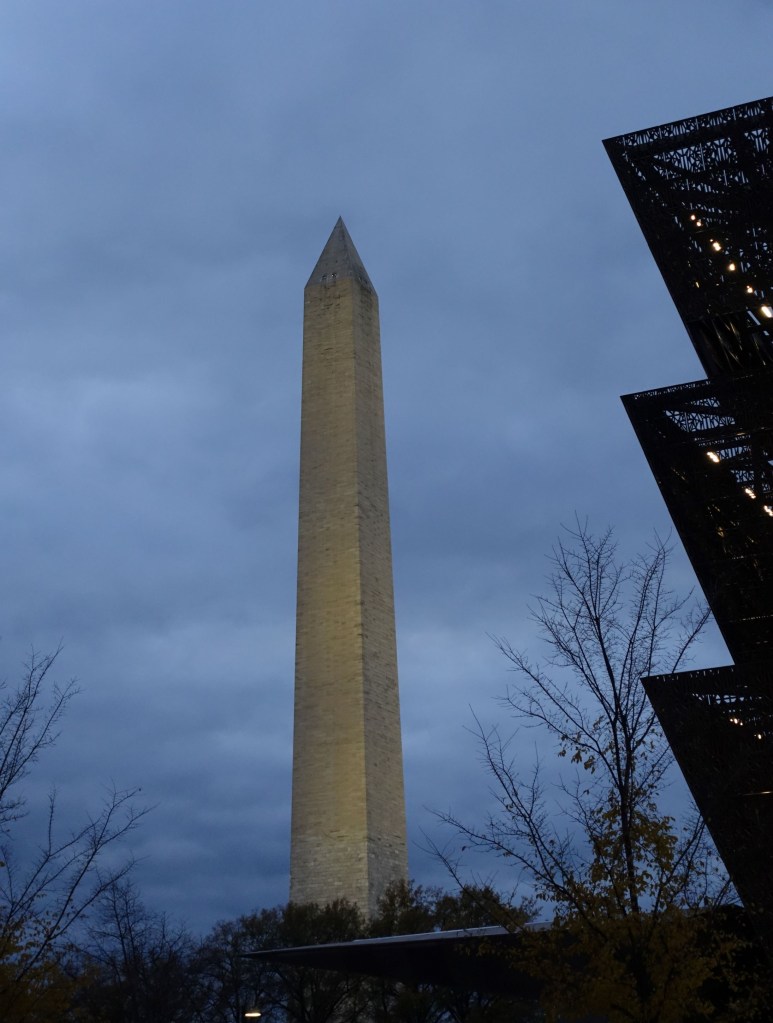
But I liked the shapes, so I edited it on my phone, using the ‘Cartoon’ filter, then desaturated it to black and white.

I also edited the original in Lightroom Classic where I resized, filtered it, and added a watermark.

All these tools can help improve a photo. And though I like Lightroom Classic, I’m not sure it’s worth the subscription.
It comes with many more features and apps but I don’t have the desire or energy to learn how to use them. And I’m finding many free alternatives including Gallery on my phone, and the Photo App on my PC, which has both editing and resizing capabilities. (The only thing missing is the watermark, but I’m not sure I really need it; if I do, I can probably find a cheaper alternative.)
My Samsung Galaxy phone is somewhat ancient by today’s standards; an S9 and they just released S24. But I looked at S23 last year and realized that even though the new camera would be great, the phone was much bigger and heavier than I wanted to carry. I already have three good cameras of various sizes and my S9 takes decent photos. (I’ll wait for the next Galaxy that has a great camera AND is small and lightweight.)
That’s enough for now. Let me know which editing tools you like the most, especially if they’re free!
~ Susanne
 Cats and Trails and Garden Tales
I’m so glad you shared these easy ideas from your Galaxy gallery, Susanne. I love the angles you used then how you enhanced each photo with the filters. I need to look into more of those myself.
Oh, I love the lighthouse and the bridge!!
Although the S23u is a bit larger, it can almost replace a camera and the editing is so easy.
You might be able to do a text overlay for your watermark.
Thanks for sharing!
Thanks, Terri! I also loved how the lighthouse and bridge turned out using the filter in Gallery. I thought I might get the S23 last year, mainly to use when traveling for photography. But when I handled it, I didn’t like the bulk and weight for everyday phone use. I’ll keep watching and maybe when the price drops, I’ll be convinced! 🙂
I take so few photos that other than using the WP crop feature I don’t do much if any editing!
Makes it easier!
Pingback: Sunday Stills: #Photo-Editing: Fun or Fraught? – Second Wind Leisure Perspectives
I tend to do minor editing on my phone or computer, mostly for light and sharpness. I tend not to go for all the apps that change the image to something looking like a painting or added tinting.
I don’t do that much editing either though I do need to crop and resize. Which is why I’m thinking of dropping Lightroom, which is way more than I need.
I tried Photoshop way back when, and felt I needed a PhD to figure out how to use it! Simple works fine for my needs. 🙂
I know what you mean! 😉 I’ve not used Photoshop, but I did learn Lightroom Classic. by taking a class. Even so, I don’t use all the features that are available so I’m planning to drop my subscription.
Wow, Susanne, I love every photo you clicked and processed! Great work. The cartoon filters are so nice. It’s tough to keep up with the new model releases, isn’t it? I picked up the iPhone 15 about four months ago and love the camera, I kept the previous model for about three years so it was out of date too. The subscriptions are indeed expensive, I haven’t tried one yet, but aren’t they around $30.00 per month? No memory here. 🤭
Thanks so much for your comment! I’ll eventually upgrade my phone but I’m not in a hurry till the price comes down and maybe the weight too! I think my Adobe Lightroom subscription is around $11 a month, I wouldn’t pay $30 for sure. I’ll probably be cancelling it as I don’t use enough of the features to warrant even $11 a month.
Oh, I like your price much better, Susanne. 👍🏻😊
I like the Cozy filter in the top photo and the cartoon filters in the others. Works well. I use an old version of Photoshop Elements for all my photo processing. It works fine for what I do (including today’s challenge). For a watermark, I just have it as a separate file that I add to the finished photo. Just have to size it and adjust the opacity so it looks OK. I didn’t know there were alternatives for adding watermarks!
It’s been fun to discover the filters on my phone, and I was surprised to see how well ‘cartoon’ works! I’ve never tried Photoshop Elements. I wish I could buy standalone versions of adobe editing tools but it’s all subscription now as far as know. I’m still undecided as to whether I need a watermark at all but will look at options.
I doubt I could get a new version of elements. If not I’d probably switch to one of the free photo editing offerings such as Gimp.
I looked at it a bit and realized it’s not the kind of editing I do.. so I’ll probably just use the free tools, too.
I agree, the Cozy filter suits the first photo best. I love the cartoon filter! 🙂 Your edits are all eye-catching, though. Most of my editing is done on the laptop, using Google Photos and/or the Windows 11 photo app. I also have the 2021 version of Photoshop Elements.
It does seem that the free tools are getting better and better! I’ve heard of Photoshop Elements but never tried it. Is it available as a standalone purchase or is it subscription now, too?
It’s a standalone purchase, which I prefer. You have to sign up for an Adobe account, though, which is free.
https://www.adobe.com/ca/products/photoshop-elements.html
Thanks for the info! I have an adobe account since I have been on subscription, so I’ll definitely look into Photoshop Elements! 🙂
I like the cartoon feature the best! Have you tried it on pics of the kitties? That was the first thing I thought of when I saw it. 😀🐱🐼
Good idea!! I’ll give it a try! 😻😻
I can see Foster and Panda going on an adventure where they are in “cartoon land”!😂
Yes, that would make for some good story telling!
I have Adobe Elements on my PC, which was a gift from a friend. I have only ever used it to resize large resolution images to use up less space on my blog.
Phone filters are good fun, but I have to say that I prefer all of your original photos, Susanne. 🙂
Best wishes, Pete.
Thanks, Pete. I’m going to look into Adobe Elements which I understand you can buy and not have to carry a subscription. The phone filters are fun but I prefer the real images, too!
My one came as a boxed CD with a user code to enter when it prompted on screen. I installed it on my first PC, then on my second when the first one died. There is no need to subscribe, but they may email you asking you to ‘upgrade’ for a fee. It is not something I initially wanted to use, but I was grateful for the gift. (I have the 2012 edition)
I use filters from my Mac, which offer many of the things you do, but they are for an “everyday” user not a pro!
Sounds similar to what I have on my PC, perfect for me, an everyday user! 🙂
I agree about the cosy edit and yes, the Washington Monument shot definitely works best in B&W (both versions).
Thanks, Sarah. I don’t usually do that much editing so it was fun to experiment.
Those are fun edits. I think i like the cozy edit on the leaves and mushrooms.
Thanks! It was fun playing with some of the free editing tools. 😊
I love the cartoon looks. Very different. Creative.
Thanks! It was fun to discover ‘cartoon.’ I liked the effect, too.